
Apple to push Watch buyers online to avoid long lines at stores
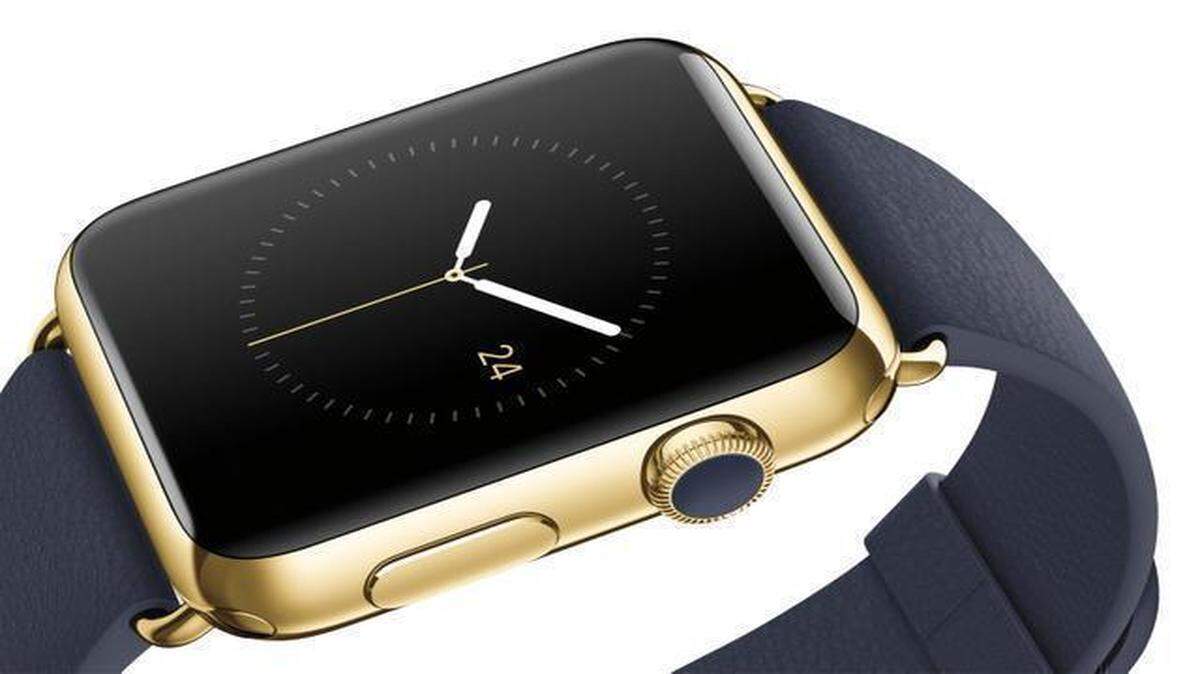
It took three days — three long, often confusing and frustrating days — for me to fall for the Apple Watch. But once I fell, I fell hard.
There was a day to learn the device’s initially complex user interface. Then another to determine how it could best fit into my life. And still one more to figure out exactly what Apple’s first big — though physically small — new product in five years is trying to do and, crucially, what it isn’t.
It was only on day 4 that I began appreciating the ways in which the elegant $650 computer on my wrist was more than just another screen. By notifying me of digital events as soon as they happened, and letting me act on them instantly without having to fumble for my phone, the Watch became something like a natural extension of my body, a direct link, in a way that I’ve never felt before, from the digital world to my brain.
The Apple Watch is far from perfect, and, starting at $350 and going all the way up to $17,000, it isn’t cheap. And the Apple Watch works like a first-generation device, with all the limits and flaws you’d expect of brand-new technology.
Indeed, to a degree unusual for a new Apple device, the Watch is not suited for tech novices. It is designed for people who are inundated with notifications coming in through their phones, and for those who care to think about and want to try to manage the way the digital world intrudes on their lives.
As it was with the first iPhone, the most exciting thing about the Apple Watch isn’t the device itself, but the new tech vistas that may be opened by the first mainstream wearable computer. On-body devices have obvious uses in health care and payments. As the tech analyst Tim Bajarin has written, Apple also seems to be pushing a vision of the Watch as a general-purpose remote control for the real world, a nearly bionic way to open your hotel room, board a plane, call up an Uber driver or otherwise have the physical world respond to your desires nearly automatically.
The Apple Watch’s most ingenious feature is its “taptic engine,” which alerts you to different digital notifications by silently tapping out one of several distinct patterns on your wrist. As you learn the taps over time, you will begin to register some of them almost subconsciously: incoming phone calls and alarms feel throbbing and insistent, a text feels like a gentle massage from a friendly bumblebee, and a coming calendar appointment is like the persistent pluck of a harp.
But it takes a few days. The Watch is not an iPhone on your wrist. It has a different set of input mechanisms — the digital crown, a knob used for scrolling and zooming, and a touch screen that can be pressed down harder for extra options. There is no full on-screen keyboard, so outbound messages are confined to a set of default responses, emoji and, when you’re talking to other Watch users, messages that you can draw or tap.
The Watch also relies heavily on voice dictation and the voice assistant Siri, which is more useful on your wrist than on your phone but still just as hit-or-miss.
The Watch also has a completely different software design from a smartphone. Though it has a set of apps, interactions are driven more by incoming notifications as well as a summary view of some apps, known as glances. But because there isn’t much room on the screen for visual cues indicating where you are — in an app, a notification or a glance — in the early days, you’ll often find yourself lost, and something that works in one place won’t work in another.
Finding nirvana with the watch involves adjusting your notification settings on your phone so that your wrist does not constantly buzz with information that doesn’t make sense on the Watch — like Facebook status updates, messages from Snapchat or every single email about brownies in the office kitchen. Apple’s notification settings have long been unduly laborious; battling them while your hand is buzzing off the hook is an extra level of discomfort.
Other problems: Third-party apps are mostly useless right now. The Uber app didn’t load for me, the Twitter app is confusing and the app for Starwood hotels mysteriously deleted itself and then hung up on loading when I reinstalled it. In the end, though, it did let me open a room at the W Hotel in Manhattan just by touching the watch face to the door.
I also used the Watch to pay for New York cabs and groceries at Whole Foods, and to present my boarding pass to security agents at the airport. When these encounters worked, they were magical, like having a secret key to unlock the world right on my arm. What’s most thrilling about the Apple Watch, unlike other smartwatches I’ve tried, is the way it invests a user with a general sense of empowerment. If Google brought all of the world’s digital information to our computers, and the iPhone brought it to us everywhere, the Watch builds the digital world directly into your skin. It takes some time to get used to, but once it clicks, this is a power you can’t live without.
This story was originally published April 8, 2015 at 3:00 AM.