Your Ceiling Fan Is Probably Spinning the Wrong Way Right Now—Here's How to Tell
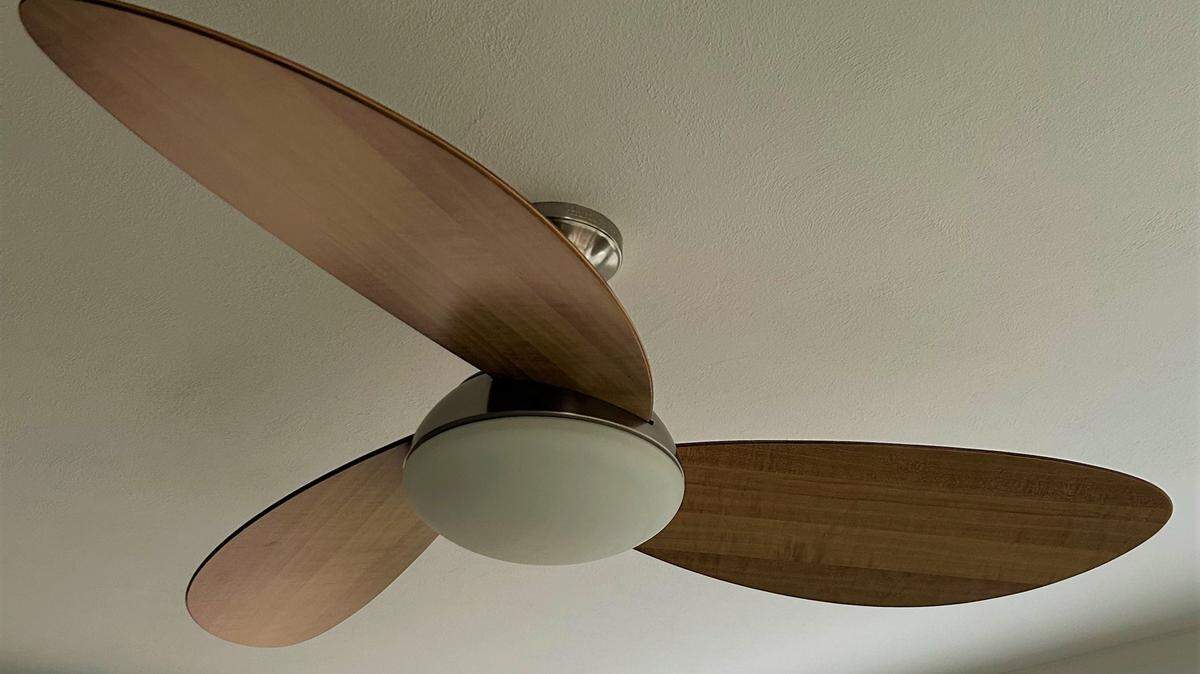
So you’ve moved into your first apartment, the ceiling fan came with the place, and you’ve basically just been pulling the chain or hitting the remote button until something happens.
Same. But here’s a tiny secret that lives on almost every ceiling fan: there’s a switch you’ve probably never touched, and it could be the reason your room still feels stuffy even with the fan blasting.
Flipping it takes about five seconds. It’s free. And switching to the right ceiling fan setting can make your room feel up to 4 degrees cooler and cut cooling costs by as much as 30%, according to some experts.
Let’s get into it.
Why ceiling fan direction actually matters
Quick reality check: a ceiling fan can’t lower the temperature in your room. What it does is move air around — and the direction the blades spin changes how that air feels on your skin.
Most ceiling fans have two settings:
- Summer setting: blades spin counterclockwise (looking up at them from below) at high speed. This pushes air down and creates that breezy, wind-chill effect that makes you feel cooler.
- Winter setting: blades spin clockwise at low speed. Since warm air rises, this pulls it down from the ceiling and gently circulates it through the room.
If your fan is currently spinning the wrong way for the season, you’re basically running it for nothing. Worse, in summer, you might actually be pulling cool air up and away from you.
Easiest thing to remember: in summer, you want the blades spinning counterclockwise when you’re looking up at them. Stand under the fan, look up, watch which way the blades are going. If they’re moving like the hands of a clock in reverse, you’re good.
Where to find the ceiling fan switch
Okay, here’s the part nobody tells you. On most standard ceiling fans, the direction switch is a small toggle on the motor housing — that’s the boxy or rounded part in the middle that the blades attach to.
Look on the side of the housing, usually just above where the blades meet the body of the fan. It’s a small black or silver switch, about the size of one of those switches on a power strip, and it slides up/down or left/right depending on the model.
Depending on what kind of fan you’ve inherited from your landlord, here’s what to expect:
- Pull-chain fans: The switch is almost always on the side of the motor housing. You’ll need a step stool to reach it, and the fan has to be completely stopped before you flip it. Don’t try this while the blades are still spinning.
- Remote-controlled fans: A lot of newer fans skip the physical switch entirely. Look on the remote for a button labeled “reverse,” “forward/reverse” or one with a little circular arrow icon.
- Smart fans (Wi-Fi or app-controlled): The setting lives inside the companion app. Poke around under settings called “fan direction,” “summer/winter mode” or “reverse.”
If you can’t find a switch anywhere on the housing and you don’t have a remote or app, your fan may not have a reverse function at all — some older or basic models don’t.
Why bother changing ceiling fan direction?
Honestly? Money.
According to the U.S. Department of Energy, “using a ceiling fan allows you to raise the thermostat setting by about 4°F without reducing comfort.” The DOE even says “ceiling fans can sometimes replace air conditioning altogether.”
Bumping the thermostat up just one degree can save 2-3% on cooling costs, according to 12News.
Home Depot estimates some homeowners can cut energy costs by up to 30% when they pair fan use with smart cooling habits.
For perspective: a central AC unit pulls about 3,500 watts when it’s running. A ceiling fan? Roughly 50 watts.
A fan won’t replace your AC entirely, but used right, it’ll let you run the AC less — which your first electric bill will thank you for.
This article was created by content specialists using various tools, including AI.