Nothing kills motivation faster than paying for exam prep and realizing the course makes studying harder.
The right program should save you time, keep you moving, and help you fix weak areas before exam day gets too close.
Kaplan and ExamFX are two of the most talked-about securities prep options, but which one is actually worth your time and money?
I dove deep into both platforms, from the study plans and video lessons to the custom quizzes, instructor help, package options, and final exam tools. Below, I’m breaking down how each one worked, where they fell short, and which course fits you best. Let’s dive in.
Kaplan or ExamFX: Which Course Will Work for You?
- Want every week planned out for you?
Kaplan gave me a weekly schedule that showed exactly what to study next. - Want to start answering questions almost immediately?
ExamFX placed short SpotCheck quizzes right after the lessons. - Want a QBank you can fully customize?
Kaplan let me choose the topics, question count, and exam format. - Want small quizzes that catch mistakes early?
ExamFX used SpotChecks before I reached the larger checkpoint exams. - Want full video classes?
Kaplan included complete OnDemand and Live Online class options.
Kaplan vs. ExamFX at a Glance
| Feature |  |  |
|---|---|---|
| Exams Offered | 14 exams | 14 exams |
| Bundle Options | 6 bundles | 3 bundles |
| Course Access | 5 months | 180 days online |
| Question Practice | Custom QBank | SpotChecks + custom exams |
| Final Exams | Practice + Mastery | Standard Finals + Benchmark |
| Live Classes | Full Live Online classes | Focused Webinars |
| Instructor Help | InstructorLink + community | Online + phone support |
| Best For | More teaching and structure | Faster question practice |
| Get Started | Check pricing | Check pricing |
Kaplan: Packed With Tools, but Not Exactly Simple

Kaplan gave me a full routine instead of a pile of random materials. I opened the study plan, completed the assigned License Exam Manual section, watched the unit videos, and then built a QBank quiz around that topic. Once the Performance Tracker caught a weak area, I could select that exact section and generate another set.
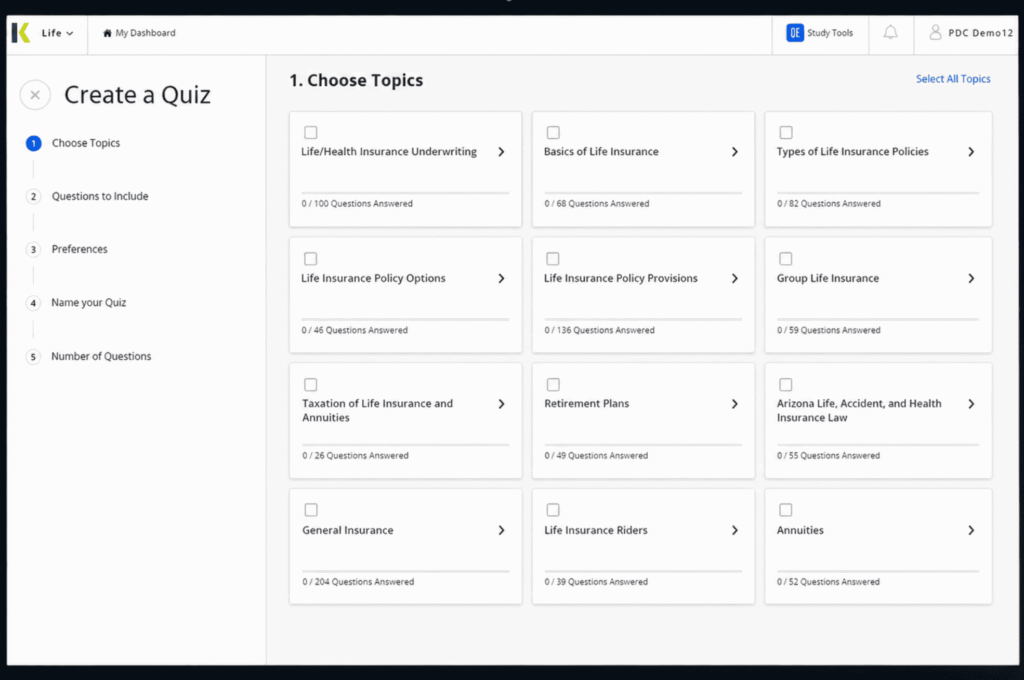
The downside was the amount of stuff on the dashboard. Between the manual, QBank, checkpoints, classes, community, exams, notes, and support tools, it took me a minute to learn where everything lived. Once I did, the pieces connected really well.
Kaplan Package Options
| What’s Included | Premium Instruction Package | Essential Self-Study Package | Basic Self-Study Package |
|---|---|---|---|
| Instructor-Led Class Option | ✅ | ❌ | ❌ |
| Exam Tips and Content Updates | ✅ | ✅ | ✅ |
| Mastery Exam | ✅ | ❌ | ❌ |
| Kaplan’s AI Tutor | ✅ | ❌ | ❌ |
| SecuritiesPro™ QBank | ✅ | ✅ | ✅ |
| Class Notes | ✅ | ❌ | ❌ |
| Study Plan | ✅ | ✅ | ✅ |
| InstructorLink™ | ✅ | ❌ | ❌ |
| Unit Intro and Wrap-Up Videos | ✅ | ✅ | ❌ |
| License Exam Manual (LEM) | ✅ | ✅ | ✅ |
| Student Community | ✅ | ✅ | ✅ |
| Practice Exams | ✅ | ✅ | ✅ |
| Performance Tracker | ✅ | ✅ | ✅ |
| Checkpoint Exams | ✅ | ✅ | ❌ |
| Midterm Exam | ✅ | ✅ | ❌ |
What I Got to Use With Kaplan
I spent the most time inside the SecuritiesPro QBank. I could choose my topics, change the question count, generate mixed quizzes, or build a full simulated exam. I also used the tracker to find patterns instead of freaking out over one bad score.
The unit intro videos helped before reading, while the wrap-ups gave me a quick recap before each checkpoint. Near the end, I saved the one-attempt Practice Exam until I had already done a lot of QBank work. I then used the separate Mastery Exam after reviewing what I missed.
Premium also gave me OnDemand or Live Online classes, InstructorLink, class notes, and the student community. The AI Tutor was handy when I needed a rule explained without rereading the same dense paragraph five times, but it is only included with select Premium courses.
Pros
✅ I could rebuild quizzes around any weak topic.
✅ Weekly tasks kept my prep from getting messy.
✅ Live and On-demand classes included real teaching.
✅ Multiple exam layers made final review less random.
Cons
❌ I had to learn a pretty packed dashboard.
❌ Some tools only appear in select exam packages.
❌ Five months may feel rushed for slower prep.
ExamFX: Faster Practice With Less Digging Around
ExamFX got me into questions quicker. I could finish a video or eBook section, take a short SpotCheck, and immediately see whether the idea actually stuck. I did not need to wait for a full checkpoint to find out I was confused.
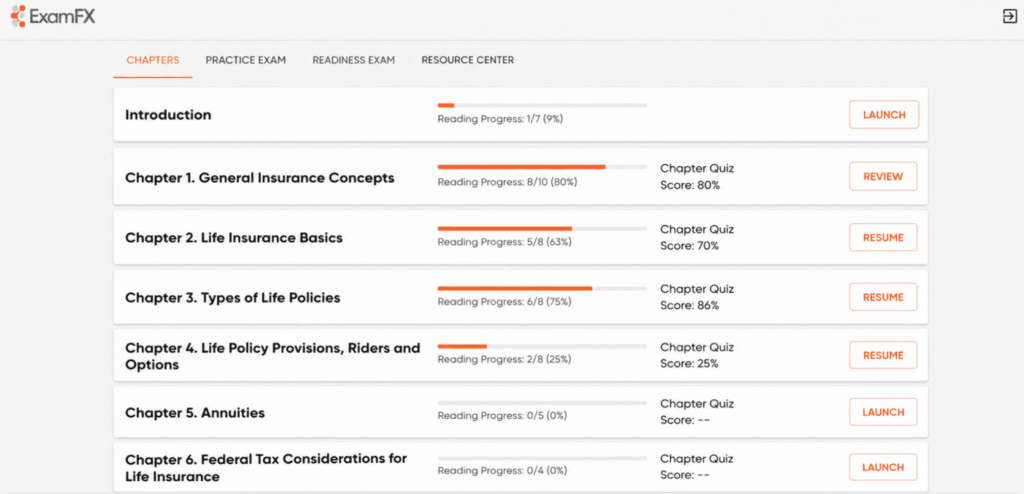
The report center then showed where my scores kept dropping, and I used the custom exam generator to target those sections. I also liked the climb from SpotChecks to checkpoints, standard finals, and finally the Benchmark Exam. It was easy to understand.
The annoying part was how much the package changed the experience. The Online and Live Online versions had the fun tools. The Textbook Package was way more basic.
ExamFX Package Options
| Feature | Textbook | Online Course | Live Online |
|---|---|---|---|
| Hard-copy textbook | ✅ | ❌ | ❌ |
| eBook | ❌ | ✅ | ✅ |
| Personalized study plan | ✅ | ✅ | ✅ |
| Best Practice Guide | ✅ | ✅ | ✅ |
| Progress report center | ✅ | ✅ | ✅ |
| On-demand video lectures | ❌ | ✅ | ✅ |
| Live Focused Webinars | ❌ | ❌ | ✅ |
| SpotCheck quizzes | ❌ | ✅ | ✅ |
| Online/ Mobile instructor support | ❌ | ✅ | ✅ |
| Online flashcards | ❌ | ✅ | ✅ |
Things That Stood Out With ExamFX
My normal session was shorter than it was with Kaplan. I checked the study plan, completed a lecture, and opened a SpotCheck before moving on. When I missed several questions, I went back right then instead of letting the weak topic follow me into a larger exam.
Later, I used the custom generator to combine topics that I kept mixing up. The report center made that easy because I could see which scores were actual patterns and which were just one ugly attempt.
The Focused Webinars were good for targeted review, but they did not feel as complete as Kaplan’s Live Online classes. Phone support was the better ExamFX extra for me because I could explain a confusing question out loud instead of typing a whole essay about it.
Pros
✅ SpotChecks caught my confusion before bigger exams.
✅ The custom generator made targeted practice easy.
✅ I always knew which testing stage came next.
✅ Phone support gave me a more direct option.
Cons
❌ The Textbook Package dropped several better tools.
❌ Package availability changed depending on the exam.
❌ Focused Webinars were lighter than full classes.
Head-to-Head: What Using Each Course Was Actually Like
Customizing Practice Around My Weakest Topics
Kaplan: Kaplan gave me more control once I knew exactly what I was missing. I opened the Performance Tracker, found the unit dragging down my score, and built a new SecuritiesPro QBank quiz using only that topic. I could change the length, mix in other units, or turn it into a simulated exam. The detailed explanations also sent me back to the right part of the manual. I did not have to repeat a full test just to practice one weak rule.
ExamFX: ExamFX handled weak areas in smaller steps. A SpotCheck usually showed me the problem right after a lesson, then I used the custom exam generator to make a longer set around it. I liked seeing the same topic again in a practice set, checkpoint, and final because it showed whether I actually learned it or only remembered the last explanation. The tools were spread across more places than Kaplan’s QBank, but the repetition felt natural instead of like one giant drill session.
🏅 My Top Pick: Kaplan for deeper quiz control
Choose Kaplan when you want one QBank that can handle nearly all your practice.
Choose ExamFX when you prefer seeing a topic across several smaller testing stages.
Following the Study Plan Without Planning My Own Week
Kaplan: Kaplan was the course I could open when I was tired and did not feel like planning anything. My study plan already showed the manual section, unit video, quiz, and exam I needed to finish that week. I followed the order and checked tasks off as I went. That kept me from avoiding harder topics or wasting an hour deciding what to study. The only downside was that one missed week made the dashboard look crowded fast because several unfinished tasks stacked up together.
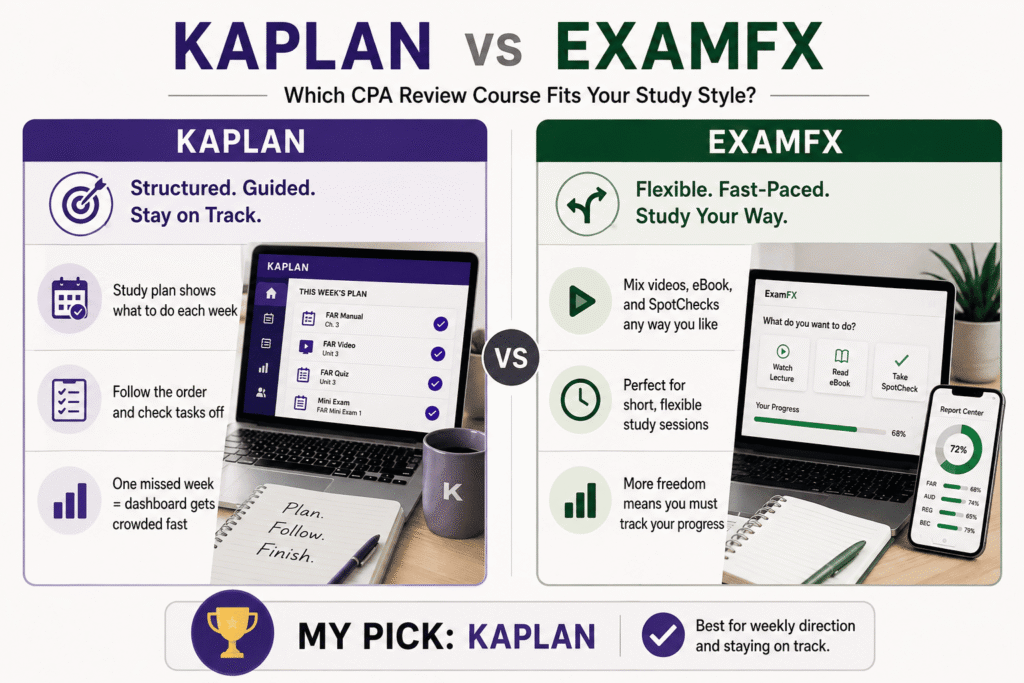
ExamFX: ExamFX also gave me a personalized plan, but I moved through it faster and changed the order more often. I could watch a lecture, read part of the eBook, and take a SpotCheck without feeling locked into a long study block. That made it easier to squeeze in short sessions. It did not guide me as closely as Kaplan, though. When I skipped around too much, I had to use the report center myself to make sure I was not quietly avoiding a weak section.
🏅 My Pick: Kaplan for weekly direction
Choose Kaplan when you need the course to plan your study week.
Choose ExamFX when you want room to move around and study in shorter bursts.
Catching Confusing Topics Before They Pile Up
Kaplan: Kaplan made me wait a little longer before I got a clean check on each unit. I usually read the manual, watch the intro and wrap-up videos, build a QBank set, and then take the checkpoint. That gave me a deeper review, but it also meant I could spend more time on a topic before realizing one part still was not clicking. The upside was that the QBank explanations were detailed enough for me to fix the problem without always opening another lesson or contacting an instructor.
ExamFX: ExamFX caught mistakes earlier for me because the SpotChecks appeared closer to the lesson. I could finish a smaller topic, answer a few questions, and immediately see whether I understood it. When I missed several, I went back before moving into the larger practice set. That quick feedback kept weak ideas from piling up. Spot checks were not deep enough to prove I had mastered anything, but they were great at telling me when I needed to slow down before reaching a checkpoint or final exam.
🏅 My Winner: ExamFX for faster knowledge checks
Choose ExamFX when you want quick feedback throughout each lesson.
Choose Kaplan when you want longer quizzes with more detailed review.
Moving From Regular Practice Into Final Exam Mode
Kaplan: Kaplan gave me two clear final readiness checks. I saved the one-attempt Practice Exam until I had finished most of the course, then used the results to build more QBank quizzes around weak topics. After reviewing those areas, I took the separate Mastery Exam to see whether the fixes held up under another full simulation. I liked having space between the two exams to correct my mistakes. The setup worked well, but I had to be careful not to waste the Practice Exam by opening it too early.
ExamFX: ExamFX had a smoother climb into final review. I moved from SpotChecks and practice sets into checkpoints, then completed the standard finals before touching the Benchmark Exam. Each step felt slightly more serious, so I never had to guess whether I was still learning or checking readiness. The Benchmark gave me one clear end goal, and the earlier finals helped me fix problems before I got there. I found the order easier to follow than Kaplan’s, even though Kaplan gave me more control between simulations.
🏅 My Choice: ExamFX for the clearer testing ladder
Choose ExamFX when you want every exam to build toward one final Benchmark.
Choose Kaplan when you want two major simulations with targeted QBank work between them.
Learning Through Videos, Classes, and Instructor Help
Kaplan: Kaplan gave me the fuller teaching experience. I used the short unit videos to preview and recap lessons, then opened the longer OnDemand class when the manual felt too dense. The Live Online option let me ask questions during class, and archived sessions were there when I needed to replay a hard explanation. InstructorLink and the student community added more backup outside class. There were more ways to get help, but finding the right tool could feel like a lot when I only had one quick question.
ExamFX: ExamFX kept instructions simpler. I used the on-demand lectures for the main teaching, then joined Focused Webinars when I wanted a live review of harder areas. The webinars were easier to fit around the self-paced course, but they did not feel as complete as Kaplan’s full classes. Phone support was the standout for me. When a rule was hard to explain in writing, I could talk it through instead of typing a long message and waiting for someone to understand what I was asking.
🏅 My Winner: Kaplan for the full classroom experience
Choose Kaplan when videos and live teaching will be a major part of your prep.
Choose ExamFX when you mainly study alone but still want webinars and phone support.
Getting Enough From the Package I Chose
Kaplan: Kaplan’s packages changed how much guidance I got, but the course still felt like the same system. Basic kept the core self-study materials, Essential added more practice and tracking, and Premium opened the full class experience. I liked that the upgrades built on the same study flow instead of turning into a completely different product. Premium had the best tools, but it also made the dashboard busier. I would only choose it when I knew I would actually use the classes and instructor support.
ExamFX: ExamFX changed more sharply between packages. The Online and Live Online versions gave me the videos, SpotChecks, flashcards, eBook, and broader instructor help that made the platform feel active. The Textbook Package still had exams and the custom generator, but losing those digital tools made it feel much flatter. Live Online mainly added Focused Webinars, so the Online Course was the better middle ground for me. I got nearly every tool I used without building my schedule around live sessions.
🏅The One I’d Choose: Kaplan for smoother package upgrades
Choose Kaplan when you want each package to build on the same course system.
Choose ExamFX Online when you want most digital tools without paying for live webinars.
My Final Take
I would pick Kaplan overall. The QBank, study plan, classes, tracking, and final exams worked together like one full prep system. It gave me more help, more control, and more ways to fix a weak topic.
I would pick ExamFX when I wanted something quicker and less packed. Its SpotChecks and testing ladder kept me active, and I did not have to dig through as many tools.
Kaplan wins for full guidance and deeper practice. ExamFX wins for speed, quick checks, and a cleaner path to the final Benchmark.
FAQs
Is Kaplan or ExamFX better for securities exam prep?
Kaplan is the better pick for a full guided course with a custom QBank, weekly study plan, and complete Live Online classes. ExamFX is better for shorter quizzes, faster practice, phone support, and a clear path from SpotChecks to its Benchmark Exam.
Which is better for the SIE exam, Kaplan or ExamFX?
I would choose Kaplan for the SIE if you want deeper QBank practice and more teaching support. I would choose ExamFX if you want to move through videos and practice tests faster without dealing with as many course tools. Both offer several SIE package options.
Is Kaplan or ExamFX better for the Series 7 exam?
Kaplan makes more sense for Series 7 students who want unlimited custom QBank exams and detailed topic practice. ExamFX gives you SpotChecks, checkpoints, standard finals, a custom exam generator, and a Benchmark Exam, so its testing flow is easier to follow.
How long do Kaplan and ExamFX securities courses last?
Kaplan securities courses normally include five months of online access, with another five-month extension available. ExamFX Online and Live Online packages generally include 180 days, while its Textbook Package normally includes 90 days.
Do Kaplan and ExamFX offer live securities classes?
Yes, but they are not the same. Kaplan offers full Live Online classes and OnDemand instruction. ExamFX uses Live Focused Webinars that target harder exam topics rather than teaching the entire course through a traditional live class schedule.
Does ExamFX include practice exams?
Yes. Depending on the exam and package, ExamFX includes practice question sets, SpotCheck quizzes, checkpoint exams, standard final exams, a Benchmark Final Exam, and a custom exam generator.